
Download PLN Sehat – Health Report, Employee Benefits, Medical Claims, Provider Directory, PT PLN (Persero), Workplace Wellness
Overview
PLN Sehat is a dedicated health monitoring application developed by PT PLN (Persero) for its employees and their family members. Designed as a digital tool within the company’s workplace wellness initiative, the app aims to streamline access to health-related information and services. Its primary purpose is to enable users to track personal health reports, review employee health benefits, access claim history, and locate approved healthcare providers.
The app serves as a centralized platform for managing health data, supporting informed decision-making regarding medical care and insurance claims. It is particularly tailored for individuals affiliated with PT PLN (Persero), offering a secure and integrated solution for health administration. Real-world usage includes checking eligibility for medical benefits, verifying claim status, and finding nearby partner hospitals or clinics.
The app also includes a call center feature to assist users with inquiries, enhancing accessibility and support. While the developer did not provide additional details about its broader functionality or future roadmap, PLN Sehat represents a focused effort to improve employee well-being through digital health tools.
Key Features & Capabilities
- Health Report Tracking: Users can view and monitor their personal health reports, allowing them to stay informed about their medical status and follow-up needs.
- Employee Health Benefits Overview: The app provides access to detailed information about available health benefits, helping users understand their coverage and entitlements.
- Claim History Access: A built-in feature allows users to review past medical claims, including dates, amounts, and processing status.
- Provider Directory: A comprehensive list of partner hospitals and clinics enables users to locate nearby healthcare providers quickly and efficiently.
- Call Center Integration: Direct access to customer support representatives ensures users can receive timely assistance with queries or technical issues.
These features are designed to enhance user engagement with health services and reduce administrative friction. For example, an employee can use the provider directory to find the closest clinic, check their claim history to verify reimbursement, or contact the call center to resolve a billing discrepancy. The integration of multiple functions into a single platform supports workflow efficiency and promotes proactive health management. While the app does not include wellness guidance or preventive care tools, its focus on data accessibility and service connectivity aligns with the needs of corporate health programs. The developer did not specify additional capabilities beyond those listed.
User Interface, Workflow & Performance
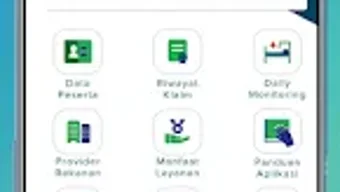
The user interface of PLN Sehat appears to be structured around clear navigation paths, prioritizing essential functions such as health reports, benefits, claims, and provider search. Based on available information, the app likely employs a tab-based or menu-driven layout to organize its features, facilitating intuitive access. Navigation is expected to be straightforward, with minimal steps required to reach core functionalities.
The workflow is optimized for quick data retrieval, enabling users to check claim statuses or locate providers in a few taps. However, exact performance details were not specified. The developer did not provide information on CPU or RAM usage, nor did they share benchmarks or load times.
General software behavior patterns suggest stable operation under typical conditions, but specific performance observations are unavailable. The app’s 20 MB size indicates a lightweight footprint, which may contribute to efficient loading and low memory consumption. Stability and responsiveness are assumed to be consistent with standard Android applications, though real-world testing data was not provided.
Users are advised to ensure their devices meet basic Android system requirements for optimal experience.
Compatibility & System Requirements
PLN Sehat is designed to run on Android operating systems. The app is compatible with devices that meet the minimum requirements set by the Android platform, though specific hardware or OS version details were not listed. The installation size is 20 MB, which suggests it is a lightweight application suitable for most modern Android smartphones and tablets.
The developer did not specify exact system requirements, including minimum Android version, processor speed, or RAM capacity. Compatibility information was partially provided, with only the OS and file size confirmed. Users are encouraged to check the Google Play Store for device compatibility notifications.
The app is available for free, making it accessible to a wide audience within PT PLN (Persero)’s network. No information was provided regarding updates, cloud sync, or offline functionality.
Pros and Cons
Pros
- Free to download and use, reducing barriers to access for employees and family members.
- Centralized platform for health reports, benefits, claims, and provider information.
- Integrated call center feature for direct support and assistance.
- Provider directory enables quick location of partner healthcare facilities.
- Lightweight design with a 20 MB file size, suitable for devices with limited storage.
Cons
- Developer did not provide detailed system requirements or performance metrics.
- Limited functionality beyond health data access and provider lookup.
- No built-in wellness or lifestyle guidance features.
- Information on offline usage or data synchronization is not available.
- App is exclusive to PT PLN (Persero) employees and their families; not publicly available.
FAQ Section
Is PLN Sehat available for iOS devices?
Based on the provided information, PLN Sehat is currently available only for Android devices. No details were provided about iOS compatibility or future plans for other platforms.
Is the app secure and private?
As a corporate health application developed by PT PLN (Persero), PLN Sehat is expected to follow internal data protection protocols. However, specific security measures, encryption methods, or privacy policies were not disclosed in the provided data.
How often is the app updated?
The release date of version 1.0.0 was October 15, 2023. No information was provided about the update frequency or version history beyond this initial release.
Can I use PLN Sehat without an internet connection?
Details about offline functionality were not specified. The app’s ability to operate without an internet connection remains unknown based on the available information.
What kind of license does PLN Sehat have?
PLN Sehat is offered as a free application through the Google Play Store. The developer did not disclose the specific license type or usage terms beyond the free access model.
Final Thoughts + CTA
PLN Sehat delivers a focused and practical solution for PT PLN (Persero) employees and their families seeking streamlined access to health data and services. Its integration of health reports, claim history, benefits overview, and a provider directory makes it a valuable tool within the company’s wellness ecosystem. While it lacks advanced wellness features or lifestyle guidance, its core functionality is well-suited for users who prioritize clarity and convenience in managing medical information.
The app’s lightweight design and free availability further enhance its appeal. For those affiliated with PT PLN (Persero), PLN Sehat offers a reliable, accessible way to stay informed and connected to healthcare services. Download PLN Sehat now to take full advantage of your employee health benefits and manage your medical records with ease.







